
Newsletter Subscribe
Enter your email address below and subscribe to our newsletter

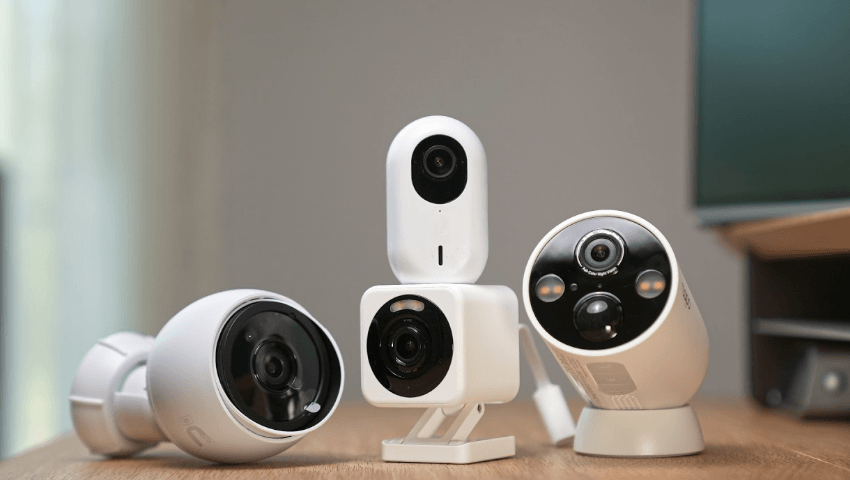
A home security camera is a surveillance device designed to monitor and record activity around your home. Modern security cameras offer high-definition video, motion detection, night vision, remote viewing, and smart home integration, allowing homeowners to monitor their property from virtually anywhere using a smartphone, tablet, or computer.
Whether used indoors or outdoors, home security cameras help improve safety, deter unwanted activity, and provide valuable video evidence when needed. This guide explains what a home security camera is, how it works, its key features, benefits, applications, challenges, and best practices.
A home security camera is an electronic surveillance device that captures video—and in many cases audio—to monitor specific areas of a property. Cameras can record continuously, on a schedule, or when motion is detected, depending on the device and its settings.
Home security cameras are commonly installed at entrances, driveways, garages, backyards, living rooms, and other important locations.
The camera continuously or selectively records video using a built-in image sensor.
Many cameras detect movement and automatically begin recording or send alerts.
Connected cameras transmit video through a home network, allowing remote viewing and management.
Recordings may be stored:
Users can watch live video, review recordings, receive notifications, and change camera settings through a companion app.
Designed to monitor rooms, hallways, and other interior spaces.
Built to withstand weather conditions and monitor areas outside the home.
Receive power and transmit data through cables, offering stable connections.
Use Wi-Fi for communication and are generally easier to install.
Operate on rechargeable or replaceable batteries, making installation more flexible.
Combine security cameras with powerful lights that activate when motion is detected.
Many modern cameras provide clear video for improved visibility.
Infrared or low-light technology allows monitoring after dark.
Automatically records activity and sends alerts when movement is detected.
Built-in microphones and speakers enable communication with visitors or family members.
Monitor your property from almost anywhere using a compatible mobile device.
Receive alerts for motion, people, vehicles, or other supported events, depending on the camera’s capabilities.
Many cameras work with compatible smart home platforms, displays, and voice assistants.
Monitor entrances and important areas around your property.
Visible security cameras may discourage unauthorized activity.
Check your home while traveling or at work.
Recorded footage can help document events if an incident occurs.
Stay informed about activity around your property at any time.
Watch visitors, deliveries, and package drop-offs.
Monitor vehicles and activity around parking areas.
Observe outdoor spaces and property boundaries.
Check on children, pets, or elderly family members.
Monitor seasonal or secondary properties while away.
Enhance security for offices, retail stores, and other commercial locations.
Remote viewing and cloud features generally require a stable internet connection.
Proper camera placement is important to respect the privacy of neighbors and visitors.
Some cameras require electrical wiring, while others rely on rechargeable batteries.
High-resolution video recordings can consume significant storage space.
Choose indoor, outdoor, wired, or wireless models based on where they will be installed.
Look for clear video resolution and good performance in different lighting conditions.
Ensure the camera provides reliable visibility after dark if nighttime monitoring is important.
Compare local storage, cloud storage, or hybrid solutions based on your preferences.
Verify compatibility with your existing smart home devices if integration is important.
Choose a system with a reliable app that offers live viewing, playback, notifications, and device management.
Position cameras to monitor important entry points and high-traffic areas.
Use a strong password and enable multi-factor authentication if available.
Install software updates regularly to improve security and performance.
Adjust sensitivity and detection zones to reduce unnecessary alerts.
Clean camera lenses, inspect mounts, and check batteries or power connections periodically.
Observe your property day and night.
View live footage from compatible devices wherever you have internet access.
Choose from wired, wireless, or battery-powered options to suit your property.
Connect cameras with other security devices for a more comprehensive home protection system.
A home security camera is a surveillance device that records video and helps monitor activity around residential properties.
Some cameras can record locally without an internet connection, but remote viewing, cloud storage, and instant notifications generally require network access.
Many outdoor models are designed to withstand rain, dust, and varying temperatures, but weather resistance depends on the specific product.
Yes. Most internet-connected home security cameras allow remote viewing and notifications through a mobile application.
Common installation locations include front doors, back doors, garages, driveways, backyards, and other entry points or valuable areas of the property.
Home security cameras provide an effective way to improve property security through continuous monitoring, motion detection, remote access, and video recording. Whether installed indoors or outdoors, these devices help homeowners stay informed about activity around their property while supporting greater peace of mind. By selecting the right camera, placing it strategically, maintaining regular software updates, and following recommended security practices, you can build a reliable home surveillance system that enhances both safety and convenience.

